
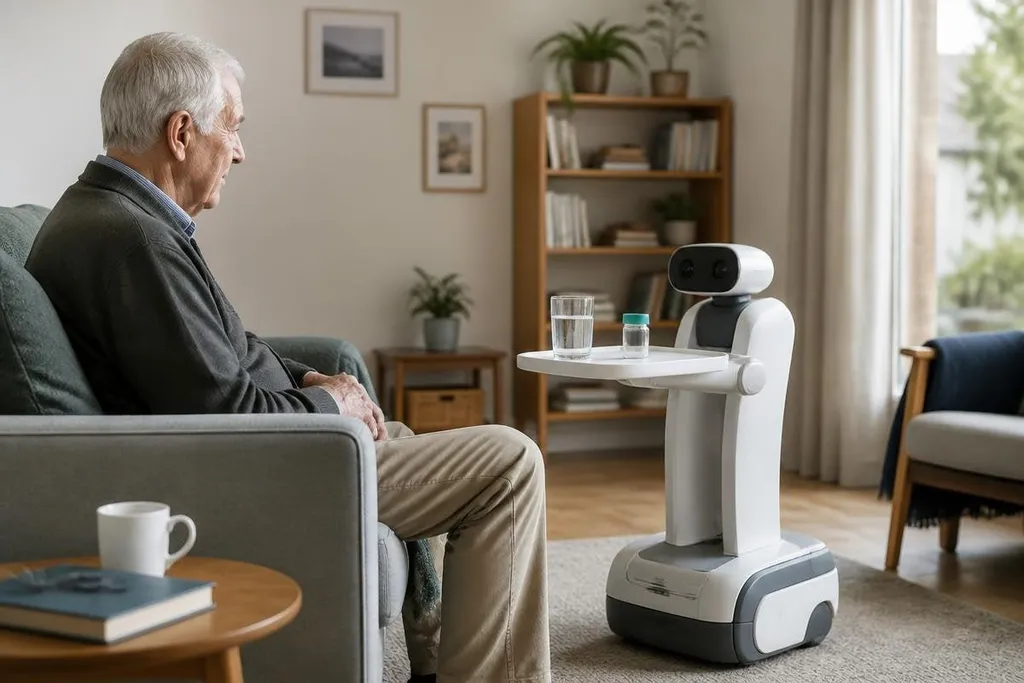
A home robot can remind someone about medicine, carry a small item, or call a family member after a fall. Those tasks may help an older person stay at home longer, but they don't replace a trained carer or a relative who knows the person well.
- Reminders can cover medicine, meals, and appointments.
- A mobile robot can move through rooms with cameras, microphones, and LiDAR.
- Privacy, charging, and human backup decide whether the system works.
The jobs a care robot could handle
The safest starting point is routine work. A robot can give a spoken reminder, show a message on a screen, or send an alert when a scheduled task has not happened. The system needs a clear reply from the person, not a silent assumption that the task was completed.
A mobile robot could also carry light objects between rooms. Its usefulness would depend on floor space, door thresholds, loose rugs, and the person’s ability to place or collect the item. A robot that reaches the kitchen but cannot cross a thick carpet has a narrow job.
Fall detection needs more care. Cameras, microphones, and movement sensors may spot a person lying on the floor, but each sensor can miss something. A camera may lose sight of a person behind furniture, while a microphone may confuse a dropped object with a call for help.
That is why an alert should lead to a person checking the situation. The robot can start the call; it cannot decide what medical help is needed.
How the robot works in a home
A home care robot needs three systems to work together. Its sensors map nearby rooms, its software plans a safe route, and its battery system returns it to a charging dock.
LiDAR measures distance with light pulses, which helps the robot avoid walls and furniture in low light. A simple control method matters too.
A large screen, physical buttons, and voice commands give the person more than one way to ask for help. Voice control can fail when the room is noisy, so a physical button still matters.
Remote contact adds another layer. A family member or care worker may be able to speak through the robot, check a camera view, or guide it to a room. That link needs a clear status light and an easy way to end the call, because an older person should know when someone is watching or listening.
The next question is harder: what happens when the robot misses a call or sends a fall alert by mistake? Robot24.com can connect those care-specific limits to the systems and companies behind them before the discussion turns to daily use.
The limits that affect daily life
Home layouts vary more than lab floors. Narrow hallways, pets, stairs, poor Wi-Fi, and items left on the floor can stop a mobile robot. A system that works in one room may need a different setup after a move or a change in mobility.
Privacy also needs a clear rule. A camera or microphone may collect information about the person, visitors, and carers. Before buying, ask where recordings go, how long they stay there, who can view them, and how the person can switch sensing off.
Safe failure matters too. If the battery is low, the charging dock is blocked, or the network drops, the person needs a warning and a backup contact. Silent failure is a poor fit for medicine reminders or emergency alerts.
Cost includes more than the robot. Installation, software fees, repairs, Wi-Fi changes, and help for the person using it can shape the total bill. A low purchase price does not tell you what the first year will cost.
A buying check for families and care teams
Use this checklist before choosing a system:
- Name one job: Pick a task that happens often and can be checked, such as a medicine reminder or a family call.
- Walk the home: Test door widths, floor edges, stairs, rugs, and the space around the charging dock.
- Set the privacy rule: Decide which sensors may run, who gets access, and how recordings are deleted.
- Test the backup: Confirm who receives an alert when the robot loses power, network access, or contact with the person.
- Price the first year: Add setup, repairs, subscriptions, and any changes needed in the home.
I'd wait on a robot whose main promise is emergency care without a named human response team. The safer use is routine support with a person ready to check the alert.
The next useful test is simple: run the robot through the person’s normal morning. Record every stop, missed command, and request for help between the bedroom and kitchen. If that route fails often, the home needs a different care plan before it needs a robot.